


SiteGround Review 2026 explores the hosting provider’s plans, features, performance, security, and WordPress tools. This guide helps beginners and website owners understand what SiteGround offers and decide whether it fits their website needs.
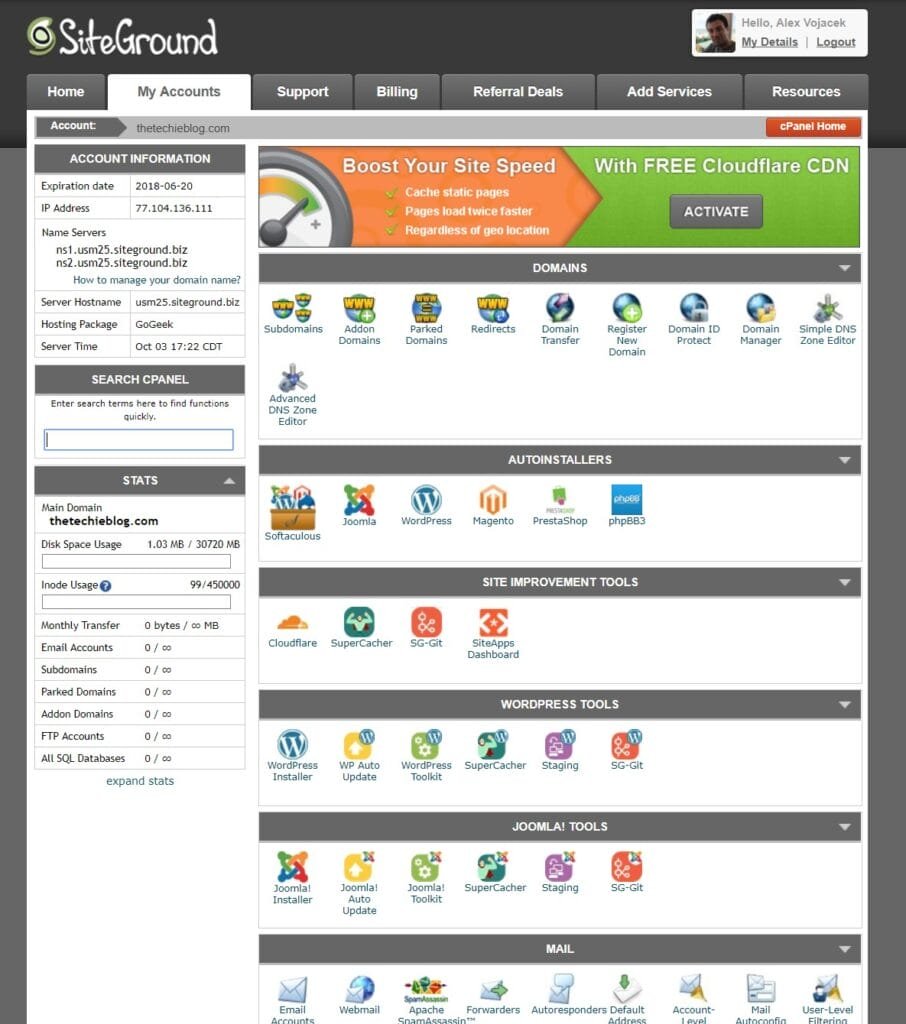
Table of Contents
1.What Is SiteGround?
SiteGround is a popular web hosting provider that helps individuals, bloggers, and businesses create and manage websites. Founded in 2004, SiteGround offers web hosting, WordPress hosting, domain services, email, and website tools. It also includes features such as free SSL, daily backups, caching, CDN, and 24/7 support, making it a suitable option for beginners and growing websites.
2.SiteGround Hosting Features
SiteGround provides a range of hosting features designed to make website management easier and more secure:
- WordPress Hosting: Tools optimized for WordPress websites.
- Free SSL: Helps secure your website and protect visitor data.
- Daily Backups: Provides backup options to help protect your website.
- CDN and Caching: Helps improve website loading speed and performance.
- Security Tools: Features designed to protect websites from common online threats.
- Website Management Tools: Simple tools for managing websites, domains, email, and hosting settings.
3.SiteGround Review 2026: Hosting Plans
SiteGround offers hosting plans designed for different types of websites and users. Depending on your needs, you can choose a plan for a new website, a growing business, or a website that requires more resources.
- StartUp: Designed for beginners and smaller websites.
- GrowBig: Suitable for growing websites that need more resources and features.
- GoGeek: Built for larger or more resource-intensive websites and advanced users.
| Plan | Promo Rate (Year 1) | Renewal Rate (Year 2+) | Websites | Storage | Best For | Key Features |
| StartUp | $2.99 / mo (~$35.88/yr) | $17.99 / mo (~$215.88/yr) | 1 Site | 10 GB SSD | Personal projects, small blogs (~10k visits/mo) | Free SSL, daily backups, free email, free CDN |
| GrowBig | $4.99 / mo (~$59.88/yr) | $29.99 / mo (~$359.88/yr) | Unlimited | 20 GB SSD | Growing sites & businesses (~100k visits/mo) | Staging tool, 30% faster PHP, on-demand backups |
| GoGeek | $7.99 / mo (~$95.88/yr) | $44.99 / mo (~$539.88/yr) | Unlimited | 40 GB SSD | Agencies & technical users (~400k visits/mo) | Priority support, Git integration, white-label client tools |
SiteGround pricing can vary depending on the billing period, location, taxes, and current promotions, so it’s best to check the latest prices before purchasing.
For current hosting plans and pricing, use the official hosting page:
4.SiteGround Performance and Speed
In this SiteGround Review 2026, we look at how SiteGround helps improve website performance and loading speed. Its hosting environment includes caching, CDN services, and modern server infrastructure, which can help websites load faster and provide a smoother experience for visitors.
- Caching: Helps reduce loading times by serving stored website content.
- CDN: Helps deliver website content efficiently to visitors in different locations.
- Server Infrastructure: Provides the resources needed to host and run websites.
- Loading Performance: Speed can vary depending on the website, traffic, content, and optimization.
5.SiteGround Security
Security is an important part of this SiteGround Review 2026. SiteGround provides several features to help protect websites and visitor data, including SSL certificates, backups, security monitoring, and protection against common online threats.
- SSL: Helps encrypt data between your website and visitors.
- Backups: Helps protect website data if something goes wrong.
- Security Monitoring: Helps identify and respond to potential security issues.
- Threat Protection: Provides tools designed to help protect websites from common threats.
6.SiteGround for WordPress
As part of this SiteGround Review 2026, SiteGround offers several tools designed to make WordPress hosting and management easier.
WooCommerce Support: Supports WooCommerce for creating and managing online stores.
WordPress Installation: Quickly install WordPress and start building your website.
Migration: Tools can help you move an existing WordPress website to SiteGround.
Management Tools: Manage updates, backups, security, and other website settings.
7.SiteGround Pros and Cons
Before choosing SiteGround, it’s useful to consider both its advantages and limitations.
Pros
- Easy-to-use website management tools
- WordPress-focused hosting features
- Free SSL and daily backups
- CDN and caching options
- Security features and monitoring
- Helpful customer support
Cons
- Renewal prices can be higher than introductory prices
- Some advanced features are available only on higher-tier plans
- Resources and features vary depending on the hosting plan
| Pros | Cons |
|---|---|
| Beginner-friendly tools | Renewal prices can be higher |
| Free SSL | Some advanced features depend on the plan |
| Backups | Resources vary by plan |
| Performance tools | — |
8.SiteGround vs Hostinger
SiteGround and Hostinger are both popular hosting providers, but their features, pricing, and tools can differ. Here’s a simple comparison:
| Criteria | SiteGround | Hostinger |
|---|---|---|
| Ease of use | User-friendly management tools | Beginner-friendly control panel |
| Pricing | Introductory and renewal pricing varies by plan | Introductory and renewal pricing varies by plan |
| Performance tools | Caching, CDN, and performance tools | Caching, CDN, and performance tools |
| WordPress | WordPress-focused hosting and tools | WordPress hosting and management tools |
| Security | SSL, backups, monitoring, and security tools | SSL, backups, and security features |
| Support | Customer support available | Customer support available |
The right choice depends on your budget, website requirements, preferred management tools, and hosting features.
9.Who Is SiteGround Best For?
In this SiteGround Review 2026, SiteGround can be suitable for beginners, bloggers, small businesses, WordPress users, and online store owners who want managed hosting with tools for performance, security, and website management. It can also support growing websites that need additional hosting resources and features over time.
10.SiteGround Review 2026: Common Questions
This SiteGround Review 2026 answers common questions about SiteGround hosting, including its features, pricing, WordPress support, performance, security, and customer support.
Is SiteGround Good for Beginners?
Yes, SiteGround is suitable for beginners because it provides easy-to-use website management tools, simple WordPress setup, security features, backups, and customer support. These tools can help new website owners manage their hosting without requiring advanced technical knowledge.
Is SiteGround Good for WordPress?
Yes. SiteGround offers WordPress hosting, installation tools, migration options, backups, caching, and website management features.
Is SiteGround Fast?
SiteGround provides performance features such as caching, CDN services, and server infrastructure designed to improve website loading speed.
Is SiteGround Secure?
SiteGround includes security features such as SSL, backups, monitoring, and protection against common online threats.
How Much Does SiteGround Cost?
SiteGround pricing varies depending on the hosting plan, billing period, location, taxes, and current promotions.
Does SiteGround Support WooCommerce?
Yes. SiteGround supports WooCommerce, making it an option for users who want to create an online store with WordPress.
Does SiteGround Offer Customer Support?
Yes. SiteGround provides customer support to help users with hosting and website-related issues.
Is SiteGround Expensive?
The SiteGround Review 2026 pricing depends on the hosting plan, billing period, location, taxes, and available promotions. Introductory prices may differ from renewal prices, so check the current pricing before subscribing.
Final Thoughts on SiteGround
This SiteGround Review 2026 shows that SiteGround offers a range of hosting features for beginners, bloggers, businesses, and WordPress users. With tools for performance, security, backups, and website management, it can meet the needs of different types of websites.
Before choosing a plan, consider your budget, website requirements, expected traffic, and the features you need. Also check the latest pricing and renewal rates, as they can vary by plan, billing period, location, taxes, and promotions.
What to Consider Before Choosing a Hosting Provider
Before choosing a hosting provider, consider these practical points:
- Price: Compare both introductory and renewal prices.
- Performance: Check available caching, CDN, and server resources.
- Security: Look for SSL, backups, monitoring, and security features.
- WordPress Support: Make sure the provider offers the WordPress tools you need.
- Scalability: Choose a plan that can handle your website as it grows.
- Customer Support: Check the available support options and response times.
- Features: Compare storage, websites, email, backups, and other included tools.
- Terms: Review billing periods, renewal conditions, and cancellation policies before purchasing.