



Creating content, designing visuals, managing social media, and growing a website can take a lot of time, especially for beginners. This is where AI-powered tools can make the process easier and more efficient.
Simplified AI brings many of these tools together in one platform. It can help users create written content, generate visuals, design graphics, produce videos, and manage marketing tasks without needing advanced technical skills.
In this Simplified AI Review 2026, we’ll explore its main features, benefits, pricing, and limitations. We’ll also look at how beginners, bloggers, and website owners can use Simplified AI to create content faster and support their online growth.
By the end of this guide, you’ll have a clearer idea of whether Simplified AI is the right all-in-one AI tool for your needs.
Table of Contents
1. What Is Simplified AI?
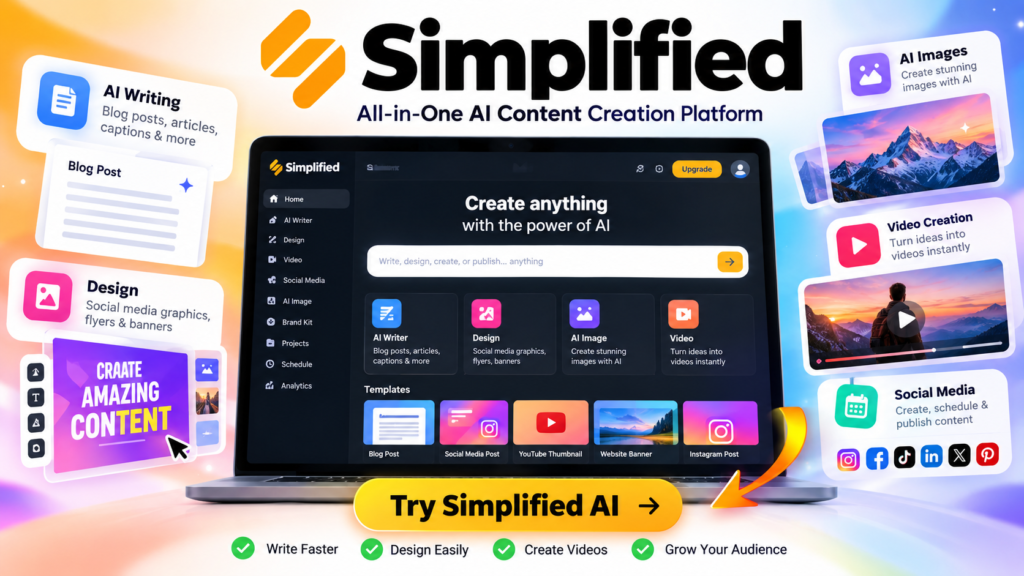
Simplified AI is an all-in-one AI-powered platform designed to help users create content, design visuals, produce videos, manage social media, and support their digital marketing activities from one place.
Instead of using several separate tools for writing, graphic design, images, videos, and social media, Simplified AI brings many of these capabilities together in a single platform. This can make content creation more convenient, especially for beginners, bloggers, marketers, and small business owners.
One of its main advantages is its focus on simplifying the content creation process. Users can provide instructions or prompts, generate content with AI, and then customize the results to match their needs.
For website owners, Simplified AI can be useful for creating blog content, social media posts, marketing materials, visuals, and other assets needed to build and grow an online presence.
However, AI-generated content should not simply be published without review. It is important to check facts, improve the writing, add your own expertise, and make sure the content provides real value to readers.
In short, Simplified AI aims to combine multiple content creation and marketing tools into one platform, making it easier to create and manage digital content without constantly switching between different applications.
Affiliate Disclosure: Some links in this article may be affiliate links. If you make a purchase through one of these links, we may earn a commission at no extra cost to you. This helps support RankWise9 and allows us to continue creating useful content.
2. What Can You Do With Simplified AI?
Simplified AI is designed to help creators, bloggers, marketers, and website owners handle different content and marketing tasks from one platform. Instead of switching between several applications, you can use Simplified AI for writing, design, images, videos, social media, and marketing.
If you want to explore the platform and see what it can do, you can try Simplified AI here.
Here are some of the main things you can do with Simplified AI:
1. AI Content Creation
Simplified AI can help you create different types of content from simple instructions or prompts. You can use it to generate ideas, drafts, social media content, marketing copy, and other written materials.
For website owners, this can make the content creation process faster and help you develop ideas when you are not sure what to write about.
2. AI Writing
The AI writing features can help you create and improve written content. You can use AI to generate drafts, rewrite text, summarize information, create headlines, and develop marketing copy.
However, AI-generated text should always be reviewed and edited before publishing. Adding your own knowledge, examples, and experience can make the content more useful and authentic.
3. Graphic Design
Simplified AI also provides design tools that can help users create visual content without advanced design skills. You can create graphics for blog posts, social media, advertisements, presentations, and other digital projects.
This can be particularly useful for beginners who want professional-looking visuals without learning complex design software.
4. AI Image Generation
With AI-powered image tools, users can create visual assets based on text descriptions. This can help website owners and content creators develop images for articles, social media posts, campaigns, and other projects.
AI-generated images can save time when you need a specific visual concept, although you should always review the final result before using it.
5. Video Creation
Simplified AI can also support video content creation. Users can create and customize videos for social media, marketing campaigns, educational content, and other online projects.
For beginners, having writing, design, image, and video tools in the same platform can simplify the overall content creation workflow.
6. Social Media Management
Social media is an important part of growing an online presence. Simplified AI can help users create social media content and manage their publishing workflow.
You can use it to develop post ideas, create captions, prepare visual content, and organize social media campaigns, depending on the features available in your plan.
7. Marketing
Simplified AI can also be used for different digital marketing tasks. It can help create promotional content, advertisements, social media campaigns, and other marketing materials.
For small businesses, bloggers, and website owners, combining content creation and marketing tools in one platform can make it easier to manage an online presence.
Why Is This Useful for Beginners?
The biggest advantage of using Simplified AI is convenience. Beginners can access several content creation and marketing capabilities from one platform instead of learning and managing many different tools.
For someone building a website, a typical workflow could look like this:
Create an idea → Write the content → Create visuals → Produce social media posts → Promote the content
3. Simplified AI Features
One of the main reasons creators and website owners consider Simplified AI is the variety of tools available in one platform. Instead of using separate applications for writing, design, images, videos, and social media, users can access multiple creative tools from the same workspace.
Here are some of the key features to explore:
AI Writing
Simplified AI can help you create and improve written content using AI. You can generate blog ideas, write drafts, create headlines, rewrite existing text, and develop marketing copy.
For beginners, this can be useful when starting a new article or when you need ideas for your website content.
AI Design
The platform includes design tools that can help users create graphics without advanced design experience. You can create visual content for blog posts, social media, presentations, advertisements, and other online projects.
AI Image Generator
Simplified AI can generate images from text prompts, allowing users to create visuals based on their ideas. This can be useful for blog illustrations, social media graphics, marketing campaigns, and other digital content.
AI Video Creation
Video content has become an important part of online marketing. Simplified AI provides tools that can help users create and customize videos for social media, marketing, educational content, and other projects.
Social Media Tools
Simplified AI can help streamline social media content creation and management. Users can create captions, generate post ideas, prepare visuals, and organize content for different social platforms.
Marketing Tools
The platform also includes tools designed to support digital marketing activities. These can help users create promotional content, advertisements, campaigns, and other marketing materials.
Content Management
Having multiple creative tools in one platform can make the content workflow easier to manage. Instead of moving between several applications, users can work on different parts of their content strategy within one ecosystem.
Why These Features Matter
For beginners and small website owners, the biggest benefit is convenience. You can move from idea generation → content creation → design → video → social media promotion without relying on a large number of separate tools.
However, the exact features, limits, and availability may depend on the Simplified AI plan you choose. Always check the current platform details before subscribing.
4. How to Use Simplified AI Step by Step
Using Simplified AI is relatively simple, even if you are new to AI tools. You can follow a few basic steps to create written content, images, videos, social media posts, and other digital content.
1. Create an Account
Start by creating an account on Simplified AI. After signing up, you can access the platform and explore its different AI-powered tools.
Take some time to explore the dashboard and discover the available features for writing, design, images, videos, and social media.
2. Choose an AI Tool
Choose the tool that matches the type of content you want to create.
For example, you can select an AI writing tool for a blog post, an AI image generator for visuals, or a video tool for creating video content.
Choosing the right tool will help you get better results from the beginning.
3. Enter Your Prompt
Enter a clear description of what you want Simplified AI to create. This instruction is called a prompt.
For example, instead of writing:
“Write a blog post.”
You could write:
“Write a beginner-friendly 1,000-word blog post explaining how to do keyword research for SEO.”
The more specific your prompt is, the easier it is for the AI to understand what you need.
4. Generate Your Content
Once you have entered your prompt, use the generation option to create your content.
Simplified AI will process your instructions and generate the requested text, image, video, or other content depending on the tool you selected.
5. Edit and Customize the Result
Don’t publish AI-generated content without reviewing it first.
Read through the result, correct mistakes, adjust the tone, add your own ideas, and customize the content to match your website or brand.
For blog content, you should also check facts, improve the structure, add relevant keywords naturally, and make sure the content provides genuine value to your readers.
6. Download or Publish Your Content
When you are satisfied with the final result, you can download your content or use Simplified’s available publishing options, depending on the type of content you created.
You can then use your content on your website, blog, social media platforms, marketing campaigns, or other digital channels.
A Simple Workflow for Beginners
The basic Simplified AI workflow is:
Choose a tool → Write a clear prompt → Generate → Edit → Customize → Download or Publish
This simple process makes it easier for beginners to start using AI for content creation without needing advanced technical or design skills.
Building a website involves much more than choosing a domain name and installing WordPress. You also need to create content, design visuals, promote your website, and continuously find new ideas.
Simplified AI can help beginners with many of these tasks by bringing writing, design, image creation, video, and social media tools together in one platform.
Blog Content
A successful website needs useful and engaging content. Simplified AI can help you generate blog post ideas, outlines, introductions, drafts, and other types of written content.
For beginners, this can make the content creation process faster and help overcome writer’s block. However, AI-generated content should always be reviewed, edited, and improved with your own expertise and experience.
Social Media Content
Social media can help you attract visitors to your website and promote your blog posts.
Simplified AI can help you create social media captions, post ideas, and visual content that you can use to promote your website across different platforms.
Website Graphics
Visual elements can make a website more attractive and easier to understand.
You can use Simplified AI to create graphics such as banners, promotional visuals, social media graphics, thumbnails, and other marketing materials that match your website’s branding.
Images
Images are important for blog posts, landing pages, social media posts, and marketing campaigns.
With AI-powered image creation tools, you can generate visuals based on your ideas instead of spending a lot of time searching for suitable images.
For example, a beginner running an SEO blog could create a custom visual showing a website, search engine results, keywords, and analytics.
Marketing Campaigns
Creating and promoting a website requires consistent marketing. Simplified AI can help you create different types of marketing content, including promotional copy, social media posts, advertisements, and visual assets.
This can help website owners prepare marketing campaigns more efficiently while keeping their messaging consistent.
Content Ideas
Finding new topics to publish can be challenging, especially when you are just starting a blog.
Simplified AI can help you brainstorm content ideas based on your niche, audience, or marketing goals.
For example, a beginner running a website about SEO could generate ideas around keyword research, SEO tools, technical SEO, content optimization, and link building.
Repurposing Content
Creating one piece of content can provide opportunities to create several others.
For example, you could turn a blog post into a social media caption, a series of posts, a short video script, an infographic, or other promotional content.
This process, known as content repurposing, allows website owners to get more value from the content they have already created.
Why Simplified AI Can Be Useful for Beginners
Simplified AI can help beginners manage several parts of their website content workflow from one platform. Instead of switching between multiple tools for writing, design, images, and social media, you can use different Simplified AI features depending on what you need.
For a beginner building a website, the goal should not be to let AI do everything. Instead, use AI to save time, generate ideas, speed up repetitive tasks, and support your own creativity and expertise.
6. Simplified AI for Beginners
Simplified AI can be a useful platform for beginners who want to create digital content without learning complicated design, writing, or marketing software.
Easy Interface
One of the main advantages for beginners is the straightforward interface. Users can access different AI-powered features without needing advanced technical or design skills.
This makes it easier to start experimenting with AI and create content step by step.
Multiple Tools in One Platform
Instead of using a separate tool for writing, images, graphic design, videos, and social media, Simplified AI brings multiple content creation features together in one platform.
This can make the overall workflow simpler for someone who is just starting a website.
Less Technical Knowledge Required
You do not need to be an experienced designer, writer, or video editor to start using AI-powered content creation tools.
Beginners can describe what they want, generate an initial result, and then customize it to match their needs.
However, AI should be treated as an assistant rather than a complete replacement for human judgment and creativity.
Faster Content Creation
Creating content from scratch can take a significant amount of time. Simplified AI can help speed up tasks such as generating ideas, writing drafts, creating visuals, and preparing social media content.
This allows beginners to spend more time improving their website and growing their online presence.
7. Benefits of Simplified AI
Simplified AI offers several potential benefits for bloggers, website owners, marketers, and content creators.
Save Time
AI can help automate or accelerate repetitive content creation tasks. Instead of starting every project from a blank page, you can use AI to generate an initial idea or draft and then improve it.
Create Different Types of Content
Simplified AI can support different types of digital content, including written content, graphics, images, videos, and social media posts.
This makes it possible to use one platform for several stages of your content workflow.
Reduce the Need for Multiple Tools
Using many different platforms can make a content workflow more complicated. Simplified AI brings multiple creative features together, which can reduce the need to constantly switch between different applications.
Improve Productivity
By helping with brainstorming, drafting, design, and content preparation, AI can make it easier to organize your creative workflow and complete tasks more efficiently.
Create Content Faster
Speed is another important benefit. AI can help you move from an idea to a first draft or visual much faster.
For example, a blogger could generate a blog outline, create supporting visuals, prepare social media content, and develop promotional ideas as part of the same overall workflow.
Is Simplified AI Worth Using for Beginners?
For beginners building a website, Simplified AI can be useful when the goal is to save time and simplify content creation. Its combination of writing, design, image, video, and social media tools can help reduce the complexity of managing multiple content tasks.
The best approach is to use AI as a productivity assistant: let it help you generate ideas and first drafts, but review, edit, fact-check, and personalize the final content before publishing.
8. Pros and Cons of Simplified AI
Like any AI-powered platform, Simplified AI has both advantages and limitations. Understanding the pros and cons can help beginners decide whether it is the right tool for their website and content creation needs.
Pros of Simplified AI
Easy to Use
Simplified AI is designed to make content creation easier for users who may not have advanced technical, writing, design, or video-editing skills.
Multiple AI Tools in One Platform
Users can access tools for writing, design, image generation, video creation, and social media content from one platform.
Saves Time
AI can help generate ideas, drafts, visuals, and other content more quickly than creating everything from scratch.
Useful for Beginners
Beginners can use AI to overcome writer’s block, explore creative ideas, and create their first pieces of digital content without needing extensive experience.
Supports Different Content Formats
Simplified AI can help create different types of content, making it useful for bloggers, marketers, social media creators, and website owners.
Cons of Simplified AI
AI Content May Need Editing
AI-generated content may not always perfectly match your goals, tone, or audience. You should review and customize the results before publishing them.
Results Depend on Your Prompts
The quality of an AI-generated result often depends on how clearly you describe what you want. Beginners may need some practice to create effective prompts.
Some Features May Require a Paid Plan
Depending on the feature and current plan, access to certain tools or usage limits may vary. Check the current pricing and plan details before choosing a subscription.
AI Is Not a Complete Replacement for Human Creativity
AI can generate ideas and assist with content creation, but human judgment is still important for originality, accuracy, strategy, and brand voice.
Too Much Automation Can Affect Content Quality
Publishing large amounts of AI-generated content without reviewing or improving it can result in generic or repetitive content. Quality should always be more important than quantity.
Simplified AI: Pros and Cons at a Glance
| Pros | Cons |
|---|---|
| Easy for beginners | AI results need editing |
| Multiple tools in one platform | Good prompts may take practice |
| Can save time | Some features may require a paid plan |
| Supports different content formats | AI cannot replace human creativity |
| Useful for content creation | Over-automation can reduce quality |
Final Takeaway
Simplified AI can be a useful solution for beginners who want to create different types of digital content from one platform. However, it works best when used as a tool to assist your workflow, not as a replacement for human creativity, expertise, and quality control.
9. Simplified AI Pricing
Simplified AI offers different pricing options depending on the features, usage, and type of user. The platform has options designed for individual creators as well as businesses and teams.
Because Simplified can change its plans, features, credits, and prices over time, you should always check the official pricing page before subscribing.
Free Plan
Simplified offers a Free Forever option that allows users to try the platform without paying for a subscription. The free version provides access to basic features and can be useful for beginners who want to explore Simplified before upgrading.
For someone creating their first website, the free plan can be a good starting point to test the platform and understand how its AI tools work.
Paid Plans
Simplified also offers paid options for users who need more resources, higher usage limits, and additional features.
The current pricing structure can change, but Simplified’s official pricing information currently highlights plans such as Starter, while its help documentation also describes plans including Simplified One, Business, and Growth.
Simplified One
Simplified One is designed for individual creators, freelancers, and people working on smaller content projects. The current help documentation lists 10,000 monthly credits for this plan, which can be used across different tools on the platform.
This type of plan may be suitable for beginners who want more capabilities than the free version without needing a large team setup.
Business
The Business plan is aimed at small teams and users with higher content creation needs. Simplified’s current documentation lists 30,000 monthly credits for this level.
It can be more appropriate for businesses that regularly create content across multiple channels.
Growth
The Growth plan is designed for agencies, startups, and organizations with larger content production requirements. Simplified’s documentation currently lists 100,000 monthly credits for this level.
This option may be more suitable for users who produce a large volume of content or need AI tools across a broader workflow.
Which Simplified AI Plan Should Beginners Choose?
For most beginners, there is no need to immediately choose the most expensive plan.
A good approach is to start with the Free plan and test the tools you actually need. If you reach the limitations of the free version, you can compare the available paid plans and choose one based on your content volume, required features, and budget.
Simplified AI Pricing: Important Note
Prices and features can change. Simplified has changed its pricing structure and product offerings over time, and monthly and yearly subscriptions may have different pricing. Its help center also notes that yearly subscriptions can offer discounted pricing compared with monthly billing.
Always check the official Simplified pricing page at the time you publish or update this article before listing exact prices.
Simplified AI Plan Comparison
| Plan | Best For | Main Benefits |
|---|---|---|
| Free | Beginners | Basic features, design tools, templates, and limited resources |
| Starter | Individual creators | More AI content creation, campaigns, design, video, and social media features |
| Pro | Growing creators | Higher usage limits and more advanced content creation capabilities |
| Business | Teams and businesses | More resources, collaboration, and higher content production capacity |
Pricing note: Simplified’s plans, prices, features, and usage limits may change. Always check the official pricing page before subscribing.
10. Simplified AI vs Other AI Tools
Simplified AI is not the only platform available for creating digital content. Other AI tools focus on specific areas such as writing, SEO, graphic design, or website creation.
The right choice depends on what you want to accomplish and how many different tasks you need to manage.
Simplified AI vs Other AI Tools
| Tool | Main Focus | Best For | Ease of Use |
|---|---|---|---|
| Simplified AI | Writing, design, images, video, social media | All-in-one content creation | ⭐⭐⭐⭐⭐ |
| ChatGPT | Writing, ideas, research, and AI assistance | Content creation and brainstorming | ⭐⭐⭐⭐⭐ |
| Canva | Graphic design and visual content | Social media graphics and branding | ⭐⭐⭐⭐⭐ |
| Semrush | SEO and digital marketing | Keyword research and SEO | ⭐⭐⭐⭐ |
| Ahrefs | SEO and backlink analysis | SEO research and competitor analysis | ⭐⭐⭐⭐ |
| Framer AI | Website design | Creating and designing websites | ⭐⭐⭐⭐ |
Which Tool Should Beginners Choose?
There is no single AI tool that is best for everyone.
If you want multiple content creation tools in one platform, Simplified AI can be a convenient option.
If your main goal is writing, brainstorming, or working with AI, ChatGPT may be more suitable.
For graphic design and visual content, Canva is a strong choice.
For SEO and keyword research, tools such as Semrush and Ahrefs offer more specialized features.
For website design, Framer AI can be useful for creating and experimenting with website layouts.
Simplified AI: An All-in-One Approach
The main difference is that Simplified AI combines several content creation functions in one platform. Instead of using one tool for writing, another for design, and another for social media, you can use Simplified AI for several of these tasks.
For beginners building a website, this all-in-one approach can make the content creation workflow easier and reduce the need to switch between multiple platforms.
11. Is Simplified AI Good for SEO?
Yes, Simplified AI can be useful for some parts of the SEO content creation process, especially for beginners. It can help you generate ideas, organize content, create drafts, and prepare different types of marketing content.
However, Simplified AI should not be considered a complete SEO tool. It can support your content workflow, but SEO still requires keyword research, search intent analysis, content quality, technical optimization, internal linking, and ongoing performance monitoring.
Content Ideas
Simplified AI can help you brainstorm topics for your website or blog.
For example, if your website focuses on SEO, you can use AI to generate ideas around keyword research, SEO tools, technical SEO, on-page SEO, link building, and content optimization.
This can help you discover potential topics when you are not sure what to publish next.
Blog Outlines
Before writing a complete article, you can use Simplified AI to create a structured blog outline.
An outline can include the introduction, main sections, subheadings, examples, and conclusion. You can then review and modify the structure to make sure it matches your audience and the search intent behind the topic.
Keyword-Based Content
Simplified AI can help you create content around specific keywords. You can provide a target keyword and ask the AI to incorporate it naturally into a title, heading, paragraph, or article draft.
However, keywords should never be added unnaturally just to increase keyword density. The content should primarily answer the user’s question and satisfy search intent.
Meta Descriptions
You can also use AI to generate or improve meta descriptions for your web pages.
For example, you can provide your target keyword and a short description of the page and ask Simplified AI to create several meta description options.
Always review the result and make sure it accurately describes the page rather than simply inserting keywords.
Social Content
SEO is not limited to search engine optimization. Promoting your content can also help you reach more people.
Simplified AI can help create social media captions and promotional content based on your blog articles. You can use these posts to share new content and attract visitors to your website.
Content Optimization
Simplified AI can also help you improve existing content by suggesting clearer wording, additional ideas, headings, summaries, or alternative versions.
You can use these suggestions as a starting point, then make your own improvements based on your audience and the search intent of the page.
Does Simplified AI Guarantee Google Rankings?
No. Simplified AI cannot guarantee Google rankings, higher traffic, or specific SEO results.
Search engine rankings depend on many factors, including content quality, relevance, search intent, competition, website authority, technical SEO, backlinks, user experience, and other signals.
AI-generated content should therefore be checked, edited, fact-checked, and adapted to the search intent before publication.
The best approach is to use Simplified AI as a content creation assistant, not as a shortcut to Google rankings.
Final Verdict
Simplified AI can be useful for beginners who want help with content ideas, blog outlines, keyword-based drafts, meta descriptions, social content, and content optimization.
However, it should be combined with dedicated SEO research and analysis tools when you want to build a serious SEO strategy.
Use AI to make content creation faster—not to replace SEO strategy, human expertise, or quality control.
12. How to Use Simplified AI to Create Content for Your Website
Simplified AI can help you move from a simple content idea to a finished article more efficiently. However, the goal should not be to publish AI-generated content without reviewing it.
A better approach is to combine AI assistance with keyword research, human expertise, SEO optimization, and editorial review.
Here is a simple workflow you can follow:
Idea → Keyword → Outline → AI Draft → Human Editing → SEO Optimization → Publish
Step 1: Start With a Content Idea
First, choose a topic that is relevant to your website and useful to your audience.
For example, if you run a website about SEO and online marketing, you could start with this idea:
“How to Do Keyword Research for SEO“
Before creating the article, make sure the topic is relevant to your audience and provides a clear solution to a real problem.
Step 2: Choose a Target Keyword
Next, identify the main keyword you want the article to target.
For this example, your focus keyword could be:
“How to Do Keyword Research”
You can use dedicated SEO and keyword research tools to evaluate search volume, keyword difficulty, related keywords, and search intent.
The keyword should help define the topic, but it should not control every sentence in the article.
Step 3: Create an Outline
Once you have your topic and keyword, use Simplified AI to help create an article outline.
For example:
- What Is Keyword Research?
- Why Keyword Research Is Important
- How to Find Keyword Ideas
- Analyze Search Volume and Keyword Difficulty
- Choose the Right Keywords
- How to Use Keywords in Your Content
- Best Keyword Research Tools
- Common Keyword Research Mistakes
- Conclusion
Review the outline before moving forward. Add, remove, or reorganize sections based on what your readers actually need.
Step 4: Generate an AI Draft
Now you can use Simplified AI to create a first draft.
For example, you could provide a prompt such as:
“Write a beginner-friendly section explaining how keyword research works. Use simple language, provide practical examples, and focus on helping someone who is creating their first website.”
The AI can provide a starting point that you can develop further.
Remember that an AI draft is only a first draft. It should not automatically become your final article.
Step 5: Edit the Content Yourself
This is one of the most important steps.
Read the entire AI-generated draft and improve it using your own knowledge and experience.
You can:
- Remove unnecessary information
- Correct inaccurate statements
- Add original examples
- Improve explanations
- Make the content easier to understand
- Add your own experience and recommendations
- Adjust the tone to your audience
- Check facts and important claims
Human editing helps transform a generic AI draft into useful content that provides genuine value to readers.
Step 6: Optimize the Article for SEO
After editing the content, optimize the article for search engines and, more importantly, for the reader.
Check important SEO elements such as:
- Page title
- Meta description
- URL
- Main keyword
- Relevant secondary keywords
- Headings and subheadings
- Internal links
- External references where appropriate
- Image alt text
- Readability
- Search intent
Avoid keyword stuffing. Your main keyword should appear naturally where it makes sense.
Step 7: Publish and Monitor the Content
Once the article has been reviewed and optimized, publish it on your website.
But publishing is not the end of the process.
Monitor how the article performs and look for opportunities to improve it over time. You may discover new keywords, questions from readers, or information that should be updated.
Refreshing useful content can help keep your article accurate and relevant.
A Practical Example
Imagine you are creating an article for a beginner SEO website.
Idea: How to Do Keyword Research
↓
Target Keyword: How to Do Keyword Research
↓
Outline: Create the main sections and questions
↓
AI Draft: Use Simplified AI to create a first draft
↓
Human Editing: Check, rewrite, expand, and personalize
↓
SEO Optimization: Improve titles, headings, keywords, links, and meta description
↓
Publish: Make the article available to your readers
↓
Improve: Monitor performance and update the content when necessary
The Key Principle
The most effective way to use Simplified AI for website content is to treat it as a content assistant, not an automatic publishing machine.
AI can help you work faster, but you are still responsible for the quality, accuracy, originality, usefulness, and SEO strategy of the final content.
AI helps you create faster. Human expertise makes the content better.
13. Common Mistakes to Avoid When Using Simplified AI
Simplified AI can make content creation faster, but using it incorrectly can reduce the quality of your website. Avoiding a few common mistakes can help you get better results.
Publishing AI Content Without Editing
One of the biggest mistakes is publishing AI-generated content exactly as it was produced.
AI can create a useful first draft, but the content may still contain generic explanations, inaccurate information, or wording that does not match your audience.
Always review, edit, and personalize the content before publishing it.
Using Generic Prompts
A vague prompt usually produces a generic result.
Instead of asking:
“Write an article about SEO.”
Give the AI more context:
“Write a beginner-friendly section explaining keyword research for someone creating their first WordPress website. Use simple language and include a practical example.”
Specific prompts generally give you a more useful starting point.
Ignoring Search Intent
Creating content around a keyword is not enough.
Before writing an article, understand what users are actually looking for. Your content should answer their questions and provide the information they expect.
For SEO content, search intent should come before keyword repetition.
Keyword Stuffing
Do not repeatedly insert the same keyword into every paragraph, heading, or sentence.
Use your target keyword naturally and include related terms when they genuinely help explain the topic.
The goal is to create useful content for people, not content written only for search engines.
Not Fact-Checking
AI-generated content can contain incorrect, outdated, or incomplete information.
Check important facts, statistics, product information, pricing, technical details, and claims before publishing.
This is especially important for articles that discuss tools, software, pricing, or SEO recommendations.
Creating Repetitive Content
Generating many articles with the same structure and similar wording can make your website feel repetitive.
Use AI to help explore different ideas, but add original examples, practical experience, unique explanations, and useful insights to make each article valuable.
14. Is Simplified AI Worth It in 2026?
Whether Simplified AI is worth using depends on what you need.
Simplified currently positions itself as an all-in-one platform that combines content writing, design, video creation, and social media publishing. Its current pricing page also emphasizes the ability to manage complete campaigns from one platform.
Who Should Use Simplified AI?
Simplified AI may be a good fit for:
- Beginners creating their first website
- Bloggers who regularly create content
- Content creators
- Freelancers
- Social media managers
- Small businesses
- Marketers who need several types of content
- Users who want writing, design, video, and social media tools in one platform
For a website owner, the biggest advantage can be workflow simplification. Instead of moving between several applications, you can use different Simplified features for different stages of content creation.
Who May Not Need Simplified AI?
Simplified AI may not be necessary if you only need one specific function.
For example, someone who only wants an AI writing assistant may prefer a dedicated writing tool. Similarly, someone focused primarily on advanced SEO research may need specialized SEO software rather than an all-in-one content platform.
The important question is not whether Simplified has many features, but whether you will actually use enough of them to justify having another subscription.
When Is Simplified AI Worth Paying For?
A paid plan may make more sense when you regularly create enough content to benefit from higher usage limits and additional features.
It can be particularly useful if you want to combine several tasks such as:
Write → Design → Create Video → Prepare Social Posts → Schedule → Publish
Simplified’s current documentation uses a unified credit system across its content creation tools, with credits consumed differently depending on the feature used.
Before paying, consider:
- How often you create content
- Which AI tools you actually need
- How much time the platform saves you
- Your monthly content volume
- Whether you would otherwise pay for several separate tools
- Whether the available plan fits your budget
Final Verdict for Beginners
For beginners, Simplified AI can be worth considering when you want an all-in-one content creation platform rather than a tool dedicated to only one task.
It can help simplify the workflow for creating blog content, graphics, videos, and social media content. However, it is not a replacement for specialized SEO research, human editing, fact-checking, or a well-planned content strategy.
The best reason to use Simplified AI is not simply that it uses AI. The value comes from how much time and effort it can save in your overall content workflow.
Before subscribing, compare the current plans, features, usage limits, and pricing with the tools you already use. Simplified’s pricing and plans can change, so verify the latest information before making a purchase.
15. Final Verdict
Simplified AI is an all-in-one content creation platform that brings together AI writing, graphic design, image generation, video creation, and social media tools.
What Simplified AI Does Well
Simplified AI is particularly useful for bringing several content creation tasks into one workflow. It can help you generate ideas, create first drafts, design visuals, produce videos, and prepare social media content.
For beginners, this can make the process of building and promoting a website easier and more organized.
Who Is Simplified AI Best For?
Simplified AI can be a good option for:
- Beginners building their first website
- Bloggers and content creators
- Small businesses
- Freelancers
- Social media managers
- Marketers
- Website owners who need multiple content formats
It is especially useful if you want several creative tools in one platform instead of subscribing to a different tool for every task.
Main Limitations
Simplified AI also has some limitations.
AI-generated content still needs human review and editing. The quality of the output depends partly on the instructions you provide, and some advanced features may require a paid plan.
It should also not be considered a complete SEO solution. You may still need specialized tools for keyword research, competitor analysis, technical SEO, backlink analysis, and website performance monitoring.
Overall Recommendation
For beginners, Simplified AI is worth considering if you want an all-in-one platform for creating different types of digital content.
It can save time and simplify your workflow, but the best results come from combining AI assistance with human creativity, SEO research, fact-checking, and editorial review.
If you want to explore Simplified AI yourself, you can Get Started with Simplified AI.
Affiliate disclosure: This is an affiliate link. If you choose to sign up or purchase through this link, we may earn a commission at no additional cost to you. Our recommendations are based on the features and potential usefulness of the tool for our readers.
16. Frequently Asked Questions
What is Simplified AI?
Simplified AI is an all-in-one content creation platform that provides AI-powered tools for writing, graphic design, image generation, video creation, and social media content.
Is Simplified AI Free?
Simplified offers a free option that allows users to try some of its tools without paying for a subscription. Paid plans provide additional features, resources, and higher usage limits.
Because pricing and available features can change, check the current Simplified pricing page before subscribing.
Is Simplified AI Good for Beginners?
Yes. Simplified AI can be useful for beginners because it combines several content creation tools in one platform and does not require advanced technical or design skills.
Beginners can use it to generate ideas, create drafts, design visuals, and prepare social media content.
Can Simplified AI Create Blog Content?
Yes. Simplified AI can assist with blog content by helping generate ideas, outlines, drafts, and other written content.
However, you should always review and edit AI-generated content before publishing it. Adding your own expertise, examples, and insights can make the final article more useful and original.
Can Simplified AI Help With SEO?
Simplified AI can support some parts of the SEO content workflow, including content ideas, blog outlines, keyword-based content, meta descriptions, and content optimization.
However, it does not guarantee Google rankings or specific SEO results. You should still perform proper keyword research, understand search intent, optimize your website technically, and review the quality of your content.
Can I Use Simplified AI for Social Media?
Yes. Simplified AI provides tools that can help create social media captions, graphics, videos, and other promotional content.
This can be useful for promoting your blog posts, website, products, or services across social platforms.
Is Simplified AI Worth It in 2026?
It depends on your needs.
Simplified AI may be worth considering if you regularly create blog content, graphics, images, videos, and social media posts and want to manage these tasks from one platform.
If you only need one specific function, a specialized tool may be a better fit.
Before subscribing, compare the current plans, features, usage limits, and pricing with the other tools you already use.
Ready to Try Simplified AI?
If you want to explore its AI writing, design, image, video, and social media features, you can start here:
You can test the platform and decide whether its features fit your website and content creation workflow.