

Artificial intelligence (AI) is becoming a useful tool for everyday tasks, helping people save time, find information, and work more efficiently. From answering questions and summarizing content to planning tasks and generating ideas, AI can support many activities at home, at work, and during learning.
The good uses of AI are not about replacing human judgment. Instead, AI can help you handle repetitive tasks, improve productivity, and focus on more important work. By using AI responsibly, you can make everyday tasks simpler while saving valuable time.
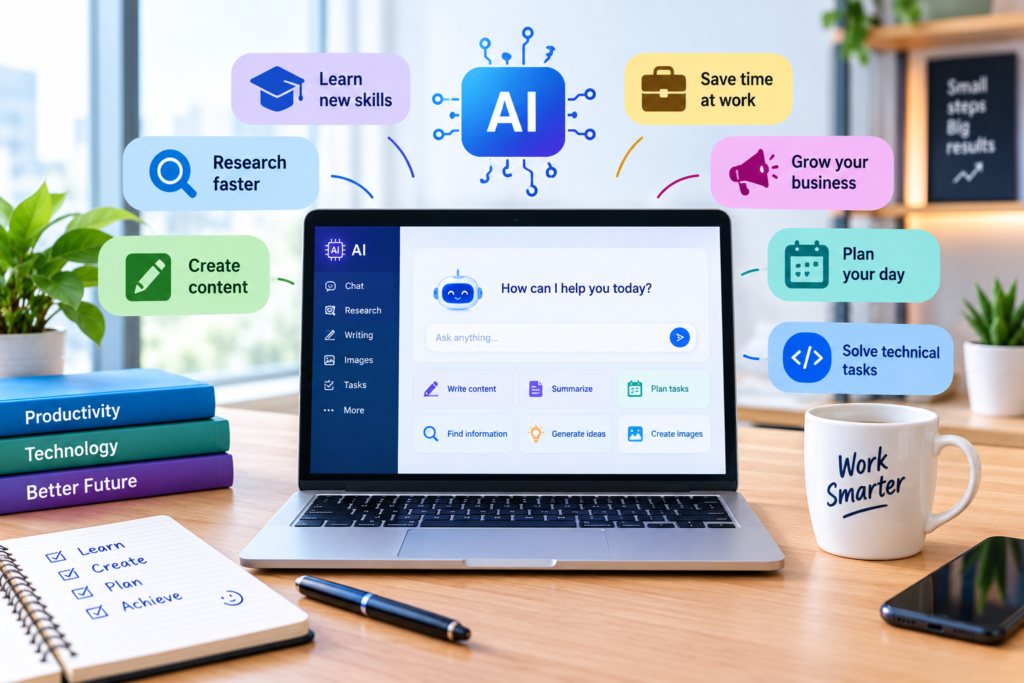
Table of Contents
1. Use AI for Research and Learning
AI can make research and learning faster by helping you find information, understand difficult topics, and organize ideas. Instead of spending hours searching through different sources, you can use AI to summarize information, explain complex concepts in simple language, and create study notes or practice questions.
Practical ways to use AI for learning:
- Ask AI to explain a difficult topic step by step.
- Summarize long articles or documents.
- Create quizzes and practice questions.
- Generate ideas for research topics.
- Create study plans and learning schedules.
- Compare different concepts to understand their differences.
For example, if you are learning SEO, you can ask an AI tool to explain keyword research, search intent, or on-page SEO with simple examples. You can then use reliable sources to verify important information before applying it.
2. Use AI to Write and Improve Content
AI can help you create and improve content more quickly, whether you are writing blog posts, emails, social media captions, product descriptions, or other online content. It can generate ideas, create outlines, improve grammar, and adapt your writing to a specific audience.
Practical ways to use AI for content:
- Generate blog ideas for a specific audience.
- Create content outlines based on readers’ needs.
- Improve grammar, clarity, and readability.
- Adjust the tone for beginners, professionals, or customers.
- Create SEO titles, introductions, and meta descriptions.
- Turn articles into social media posts.
Specific AI Content Prompts With Audience Details
Instead of simply asking AI to “write an article,” include information about who will read it, their experience level, and what they want to achieve.
- Blog ideas:
“Give me 10 SEO-friendly blog post ideas about AI productivity for beginners who have little technical experience. Focus on practical ways they can save time at work.” - Content outline:
“Create a 1,500-word article outline about how to use AI for blogging for new bloggers who want to increase traffic but have limited SEO knowledge. Include H2 and H3 headings and practical examples.” - Beginner-friendly explanation:
“Explain keyword research to beginner bloggers who have never used an SEO tool. Use simple language and give three practical examples.” - Product content:
“Write a 500-word product description for small business owners looking for an affordable project management tool. Highlight ease of use, time savings, and key features without using overly technical language.” - Social media post:
“Turn this blog section into a short Facebook post for beginner entrepreneurs aged 25–45 who want to use AI to improve productivity. Use a friendly, practical tone and include a clear call to action: [text].” - Email:
“Write a professional email for small business customers who are new to AI explaining three simple ways AI can save them time. Keep it under 150 words and avoid technical terms.”
A Simple Prompt Formula
A useful AI prompt can include:
Task + Topic + Audience + Experience Level + Goal + Tone
For example:
“Write a beginner-friendly guide about AI tools for content creation for new bloggers with basic SEO knowledge. The goal is to help them create content faster. Use a professional but simple tone and include practical examples.”
The more specific your audience and goal are, the more relevant and useful the AI-generated content is likely to be. Always review the output, verify important facts, and add your own expertise before publishing.
3. Use AI to Save Time at Work
AI can help professionals save time by handling repetitive tasks, organizing information, and supporting everyday work. Instead of spending hours on routine activities, you can use AI to prepare drafts, summarize meetings, organize tasks, and analyze information.
Practical ways to use AI at work:
- Draft emails, reports, and business documents.
- Summarize long meetings, notes, or reports.
- Create to-do lists and organize daily tasks.
- Turn rough notes into structured documents.
- Analyze spreadsheets and identify useful patterns.
- Prepare presentations and meeting agendas.
- Automate repetitive writing and administrative tasks.
Specific AI Prompts for Work
Use detailed prompts that include your job role, task, audience, and desired result:
- Email: “Act as a marketing manager. Write a professional follow-up email to a potential client who requested information about our SEO services. Keep it under 120 words and use a friendly tone.”
- Meeting summary: “Summarize these meeting notes for a project manager. Extract the key decisions, assigned tasks, deadlines, and unresolved issues: [notes].”
- Task planning: “Create a realistic daily work plan for a freelance writer with five tasks: research, writing, editing, client communication, and SEO optimization. Prioritize the tasks by urgency.”
- Report: “Turn these rough notes into a clear weekly performance report for a business manager. Include achievements, problems, key metrics, and next steps: [notes].”
- Data analysis: “Analyze this sales data and identify the three most important trends. Explain the findings in simple language for a small-business owner: [data].”
AI works best as a productivity assistant rather than a complete replacement for human judgment. Review AI-generated work, check important information, and make the final decisions yourself.
4. Use AI for Business and Marketing
AI can help businesses save time, understand customers, and create more effective marketing content. These are some of the good uses of AI for small businesses and entrepreneurs, including market research, content creation, customer communication, SEO, and campaign planning.
Practical ways to use AI for business and marketing:
- Generate ideas for products, services, and marketing campaigns.
- Create social media posts, email campaigns, and ad copy.
- Research customer needs and common questions.
- Create customer personas for different target audiences.
- Brainstorm SEO keywords and content topics.
- Write product descriptions and website copy.
- Analyze customer feedback and identify common themes.
- Create marketing calendars and campaign ideas.
Specific AI Prompts for Business and Marketing
Include your business type, target audience, marketing goal, and desired format to get more useful results. These prompts demonstrate practical good uses of AI for different marketing tasks:
- Customer research: “Act as a marketing researcher for a small online SEO business. Identify the main problems beginner bloggers face when trying to increase organic traffic. Group the problems into 5 categories and suggest content ideas for each.”
- Customer persona: “Create a customer persona for a beginner blogger who wants to increase website traffic. Include their goals, challenges, common questions, budget concerns, and preferred content formats.”
- Social media: “Create 7 Facebook post ideas for a small SEO blog targeting beginner website owners. Focus on practical SEO tips, use a helpful tone, and include a simple call to action.”
- Email marketing: “Write a short promotional email for small-business owners introducing an AI productivity tool. Explain three practical benefits and use a professional, non-pushy tone.”
- Marketing campaign: “Create a 7-day marketing campaign for a new digital product targeting beginner bloggers. Include one content idea, social media post, and email idea for each day.”
- Product description: “Write an SEO-friendly product description for [product] aimed at [target audience]. Highlight the main benefits, explain who the product is for, and keep the language clear and persuasive.”
AI can make marketing workflows faster, but businesses should verify market research, review AI-generated claims, protect customer data, and add human insight before using AI-generated content publicly. Used responsibly, these are practical good uses of AI that can help businesses improve productivity and organize their marketing efforts.
5. Use AI for Everyday Planning
Everyday planning becomes easier with artificial intelligence, especially when you need to organize your schedule, manage tasks, plan meals, prepare trips, or create simple routines. These are practical good uses of AI for saving time and staying organized.
Practical ways to use AI for everyday planning:
- Create a daily or weekly schedule.
- Organize tasks based on priority and deadlines.
- Plan meals and create shopping lists.
- Build travel itineraries based on your interests and budget.
- Create study or fitness schedules.
- Make packing and preparation checklists.
- Break large goals into smaller action steps.
- Suggest ways to organize a busy day.
Specific AI Prompts for Everyday Planning
Give AI details about your schedule, priorities, time available, and goals to get more useful results:
- Daily schedule: “Create a realistic daily schedule for a busy professional who works from 9 AM to 5 PM and wants to exercise for 30 minutes, study for one hour, and spend time with family.”
- Weekly planning: “Create a weekly plan for a freelance blogger who needs to research, write, edit, publish, and promote three articles. Prioritize tasks based on deadlines.”
- Meal planning: “Create a 7-day meal plan for a busy adult who wants simple, affordable meals that take less than 30 minutes to prepare. Include a weekly shopping list.”
- Travel planning: “Create a 3-day travel itinerary for someone visiting [destination] for the first time. Include major attractions, affordable food options, transportation tips, and realistic travel times.”
- Goal planning: “Break my goal of launching a blog within 30 days into weekly and daily action steps. Assume I can spend one hour each weekday and three hours on weekends.”
Using AI for planning can reduce the time spent organizing routine activities, but you should review the suggestions and adjust them to your real schedule, priorities, budget, and personal needs.
6. Use AI for Coding and Technical Tasks
For developers and beginners, AI can simplify many coding and technical tasks by helping with code explanations, debugging, documentation, and problem-solving. These are practical good uses of AI when you need to understand technical concepts or complete development tasks more efficiently.
Practical ways to use AI for coding and technical work:
- Explain unfamiliar code in simple language.
- Find and explain potential errors in code.
- Generate small code snippets for specific tasks.
- Convert code from one programming language to another.
- Create comments and documentation.
- Suggest ways to improve code readability.
- Generate test cases for existing code.
- Help troubleshoot common technical problems.
- Explain APIs, frameworks, and programming concepts.
Specific AI Prompts for Coding
Include the programming language, technical goal, existing code, and error message when possible:
- Explain code: “Explain this Python code line by line for a beginner who understands basic programming but is new to Python: [code].”
- Debug code: “Review this JavaScript code and identify the likely cause of this error. Explain the problem and suggest a corrected version: [code and error].”
- Generate code: “Write a simple HTML and CSS contact form for a small business website. Make it accessible, mobile-friendly, and easy for a beginner to understand.”
- Improve code: “Review this Python function and suggest ways to make it easier to read and maintain without changing its behavior: [code].”
- Create tests: “Create five test cases for this JavaScript function. Include normal inputs, edge cases, and expected outputs: [code].”
- Technical explanation: “Explain how an API works to a beginner web developer. Use a simple real-world example and show a basic request-and-response example.”
AI-generated code should always be tested, reviewed, and checked for security issues before being used in a real project. AI is useful for assistance and learning, but developers remain responsible for understanding and verifying the code they deploy.
7. Use AI to Improve Productivity
Better productivity often comes from spending less time on repetitive tasks and more time on work that requires human judgment and creativity. AI can support this process by helping you organize information, prioritize tasks, manage your workload, and complete routine activities faster. These are some of the most practical good uses of AI for improving productivity.
Practical ways to use AI for productivity:
- Prioritize tasks based on urgency and importance.
- Create daily and weekly to-do lists.
- Summarize long documents, emails, and notes.
- Turn meeting notes into clear action items.
- Create templates for repetitive tasks.
- Organize ideas and information.
- Break large projects into smaller steps.
- Track progress toward personal or professional goals.
- Automate repetitive writing and administrative tasks.
Specific AI Prompts for Productivity
Give AI details about your tasks, deadlines, available time, and priorities to receive more useful suggestions:
- Task prioritization: “I have these 8 tasks to complete today: [tasks]. I have 6 hours available. Organize them by priority and create a realistic schedule with short breaks.”
- Project planning: “Break this project into manageable steps for a beginner. The deadline is 30 days from now, and I can spend one hour per day on it: [project].”
- Meeting notes: “Turn these meeting notes into a concise list of decisions, action items, responsible people, and deadlines: [notes].”
- Time management: “Help me organize my workday from 9 AM to 5 PM. I need to complete [tasks]. Include time for email, focused work, breaks, and unexpected tasks.”
- Repetitive tasks: “Identify which tasks in this workflow could be simplified or automated with AI. Explain how I could improve the process while keeping human review: [workflow].”
The goal is not to use AI for every task. Use it where it genuinely saves time or reduces repetitive work, while keeping human judgment involved in important decisions and reviewing AI-generated results before relying on them.
8. How to Use AI Responsibly
Using AI responsibly means treating it as a helpful assistant rather than relying on it for every decision. The good uses of AI focus on saving time, improving productivity, and supporting human judgment while keeping accuracy, privacy, and security in mind.
Practical ways to use AI responsibly:
- Verify important information: Check facts, statistics, and recommendations against reliable sources.
- Protect personal data: Avoid entering passwords, financial information, private documents, or sensitive customer data unless you understand how the AI service handles it.
- Review AI-generated content: Check articles, emails, code, and other outputs for errors before using them.
- Keep human judgment involved: Make important business, financial, legal, or personal decisions based on appropriate human expertise and reliable information.
- Watch for bias: AI outputs can reflect limitations or biases in the information used to develop the system.
- Use AI transparently: When appropriate, disclose AI assistance, especially in professional, academic, or public-facing work.
- Respect copyright and originality: Review AI-generated content and make sure your final work is original and follows applicable rules.
- Use AI where it adds value: Focus on tasks where AI genuinely saves time or improves efficiency instead of using it unnecessarily.
A Simple Responsible AI Checklist
Before using AI-generated information, ask:
- Is the information accurate?
- Does it contain private or sensitive data?
- Do I need to verify it with a reliable source?
- Am I making the final decision myself?
- Does the output meet my quality and originality requirements?
Responsible AI use allows you to benefit from automation and productivity improvements without giving up control over important decisions. The best good uses of AI combine AI assistance with human expertise, critical thinking, and careful review.
9. Common Mistakes to Avoid When Using AI
AI can save time and improve productivity, but using it incorrectly can lead to inaccurate information, poor-quality content, or unnecessary work. Understanding these common mistakes can help you get better results from the good uses of AI.
Common AI mistakes to avoid:
- Relying on AI without verification: Always check important facts, statistics, and recommendations using reliable sources.
- Using vague prompts: Give AI clear instructions, context, audience details, and the desired result to improve the quality of its response.
- Sharing sensitive information: Avoid entering passwords, financial details, confidential business information, or private customer data.
- Publishing AI content without editing: Review and personalize AI-generated text to ensure it is accurate, useful, and matches your voice.
- Using AI for every task: AI is most useful when it saves time or helps solve a specific problem. Some tasks are better handled manually.
- Ignoring potential bias: AI responses may contain assumptions or biased information, so consider different perspectives and verify important claims.
- Copying AI-generated content directly: Add your own expertise, examples, and insights instead of publishing generic AI output.
- Ignoring security when using AI-generated code: Test and review code carefully before using it in a real website or application.
- Expecting perfect results from one prompt: Improve your prompt and provide additional context when the first response does not meet your needs.
How to Get Better Results From AI
A simple approach is to start with a clear goal, provide relevant context, review the response, verify important information, and make the final output your own.
For example, instead of asking:
“Write an article about SEO.”
Try:
“Write a 1,000-word beginner-friendly article about on-page SEO for new bloggers. Explain titles, headings, meta descriptions, internal links, and image optimization. Use practical examples and a professional but simple tone.”
The more specific your instructions are, the more useful AI responses are likely to be. Combining AI assistance with human judgment is one of the most practical good uses of AI.
10. Frequently Asked Questions About Good Uses of AI
What are the good uses of AI?
The good uses of AI include research, learning, content creation, productivity, business, marketing, planning, coding, and repetitive tasks. AI can help save time and organize information while keeping human judgment involved.
How can AI improve productivity?
AI can improve productivity by helping you prioritize tasks, summarize information, create drafts, organize projects, generate ideas, and automate repetitive activities.
How can AI help with everyday tasks?
AI can help with daily planning, meal planning, travel itineraries, shopping lists, schedules, reminders, and breaking larger goals into manageable steps.
How can businesses use AI?
Businesses can use AI for customer research, content creation, marketing, data analysis, customer support, product descriptions, and workflow automation.
Is AI useful for students and learning?
Yes. AI can explain difficult concepts, summarize study materials, create quizzes, generate study plans, and provide practice questions. Important information should still be checked against reliable sources.
Can AI help with content creation?
Yes. AI can generate content ideas, outlines, drafts, social media posts, emails, and product descriptions. Always review and edit AI-generated content before publishing.
Can AI help with coding?
AI can explain code, identify potential errors, generate small code examples, create documentation, and suggest improvements. Developers should test and review AI-generated code before using it.
How can I use AI responsibly?
Use AI responsibly by verifying important information, protecting private data, reviewing generated content, checking for potential bias, and keeping human judgment involved in important decisions.
What should I avoid when using AI?
Avoid relying on AI without verification, sharing sensitive information, using vague prompts, publishing unedited AI content, and assuming that AI-generated information is always accurate.
What is the best way to get better AI results?
Use specific prompts that explain the task, topic, audience, goal, context, and desired format. Review the response and provide additional instructions when necessary.
Conclusion: Make AI Work for You
AI can be a practical tool for saving time, improving productivity, learning new skills, creating content, and handling repetitive tasks. The good uses of AI are not about using technology for everything, but about choosing tasks where AI can provide real value.
Start with one simple task, such as creating a daily schedule, summarizing information, generating content ideas, or organizing your workload. Give AI clear instructions, review its output, and add your own knowledge and judgment.
As you become more comfortable with AI, you can explore more advanced uses for work, business, marketing, learning, and everyday planning. Use AI as a productivity assistant, while keeping human judgment at the center of important decisions.